헤더

전체 글: 45개의 글

소상공인 손실보상 신청

Posted by 소상공인 손실보상 정책자금 대출
2023. 2. 2. 20:59 카테고리 없음
test11`````````````````````````


손실보상()이란 적법한 공권력의 행사에 의한 재산상 특별한 희생에 대하여 전체적인 공평부담의 견지에서 행정주체가 재산상 손해를 보상하여 주는 공법상 권리이다.


손실보상 신청하러 가기


링크 https://xn--ob0bj71amzcca52h0a49u37n.kr/


소상공인 손실보상제

소상공인 손실보상금 신청하기, 신청결과 확인 등

xn--ob0bj71amzcca52h0a49u37n.kr


test22`````````````````````````

Didn't find class "org.apache.http.ProtocolVersion" android google map error

Posted by 소상공인 손실보상 정책자금 대출
2022. 7. 23. 21:06 카테고리 없음
test11`````````````````````````

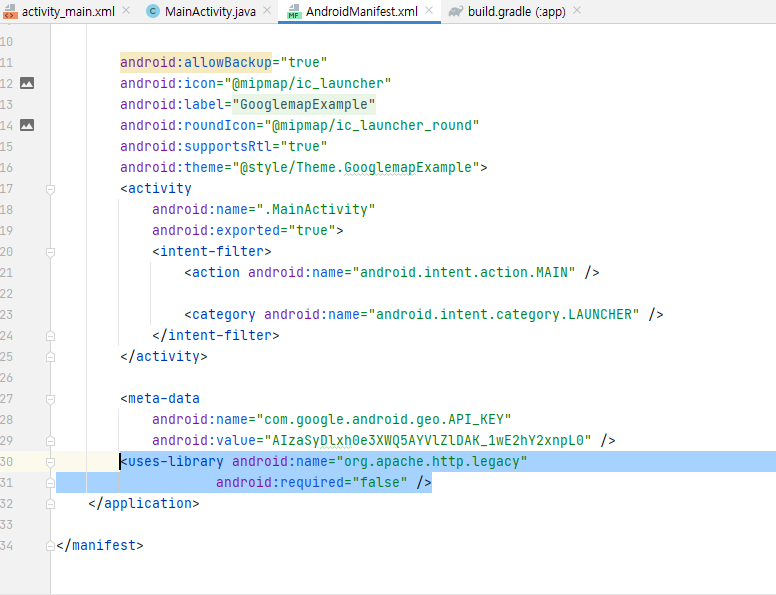
Didn't find class "org.apache.http.ProtocolVersion" 안드로이드 구글 맵 에러 발생시 


<uses-library android:name="org.apache.http.legacy"
                    android:required="false" />


AndroidManifest.xml  안에 application 태그안에  코드를 삽입하면 해결됩니다.


test22`````````````````````````

phpmyadmin 대용량 쿼리 파일 업로드 가져오기 에러 cmd 콘솔 이용

Posted by 소상공인 손실보상 정책자금 대출
2022. 4. 2. 19:10 카테고리 없음
test11`````````````````````````

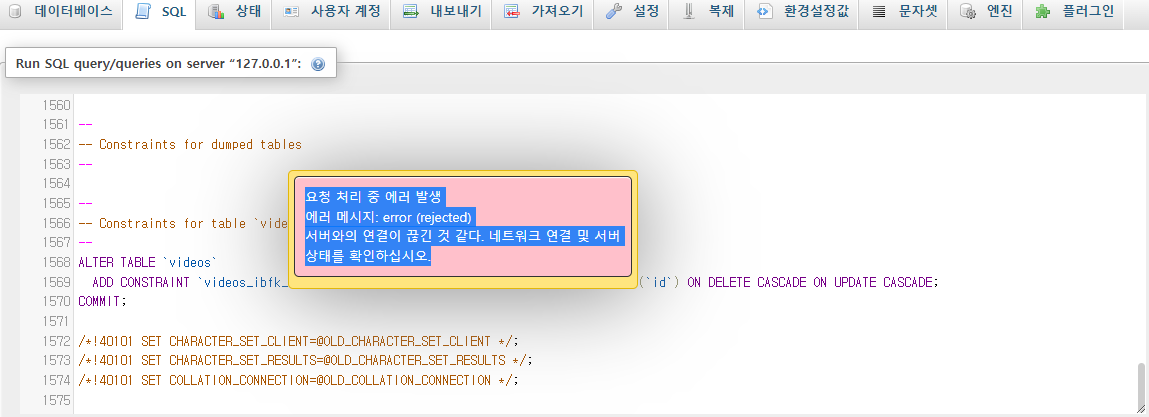
대용량 파일을 업로드 또는 쿼리를 실행할때 에러가 발생하였습니다.


서버와의 연결이 끊긴 것 같다. 네트워크 연결 및 서버 상태를 확인하십시오


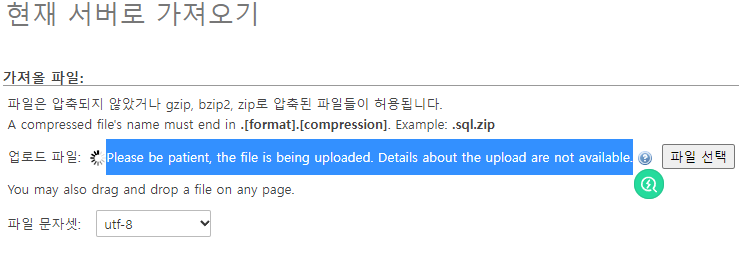
파일 또는 쿼리등을 phpmyadmin에서 업로드할 때 너무 긴 시간이 걸려 연결이 끊기는것으로 보였습니다.

please be patient, the file is being uploaded . Details about the upload are not available. 


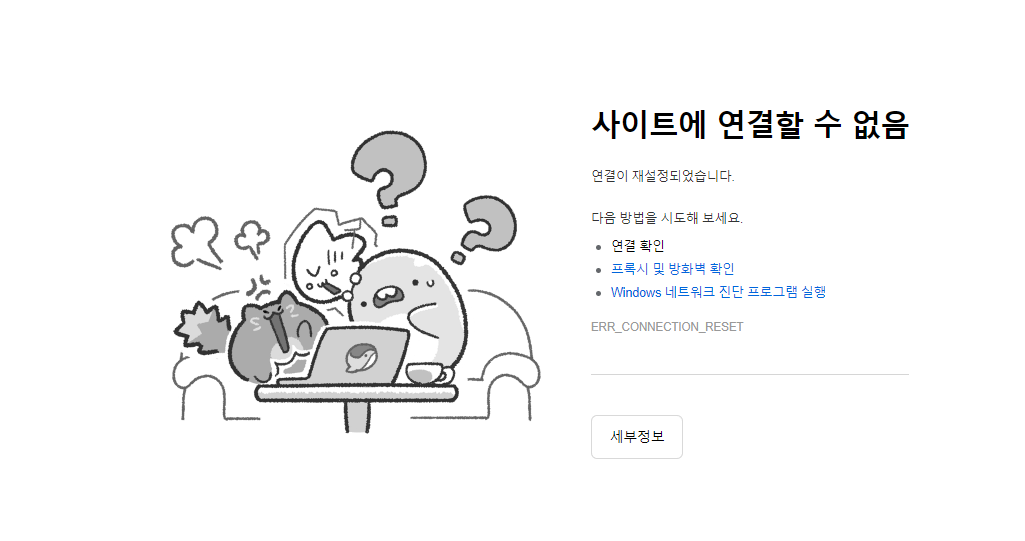
기다림의 끝은 사이트에 연결할 수 없음 또는 연결할 수 없다는 페이지까 뜹니다. 


 php.ini 또는 mysql환경에서  upload_max_filesize and post_max_size 등 wait_time 전부를 넉넉히 부여했는데 같은 원인이 진행되었습니다. github 또는 stakoverflow에서 제공해주는 해결방안으로는 문제를 해결할 수 없었습니다. 


해결 방법

-쿼리를 cmd 콘솔을 이용하여 업로드해주시면됩니다.

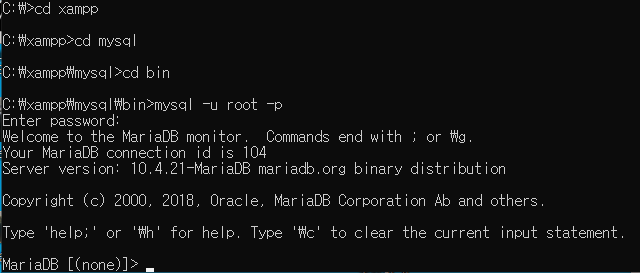
c드라이브 - xampp - mysql - bin 으로 이동하여 mysql에 접속해줍니다. (저의 환경은 window -xampp php 8.0)


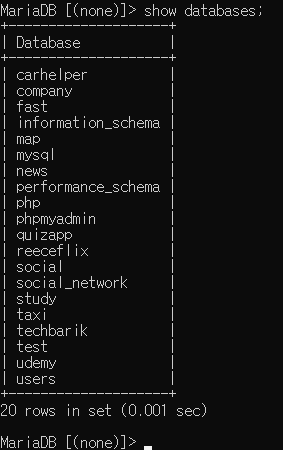
show databases; 

데이터베이스 출력 


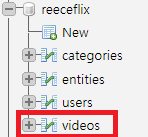
use reeceflix;

데이터베이스 선택


source 경로와파일


test22`````````````````````````

github repository 연결 ssh 생성

Posted by 소상공인 손실보상 정책자금 대출
2021. 1. 5. 18:26 카테고리 없음
test11`````````````````````````


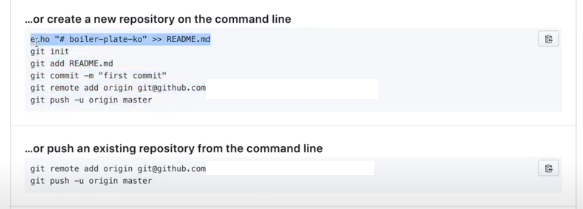
create a new repository를 클릭한뒤


주소 클릭 

https://docs.github.com/en/free-pro-team@latest/github/authenticating-to-github/generating-a-new-ssh-key-and-adding-it-to-the-ssh-agent 


위 절차대로 진행한다 


ssh-keygen -t ed25549 -C "본인 github 아이디"


위 절차로 ssh 키를 만들었다.


스크롤을 밑으로 더 내리면


ssh private 키를 ssh -agent 에 add 해준다 


그다음 ssh public 키를 깃허브에 add 해줘야한다.


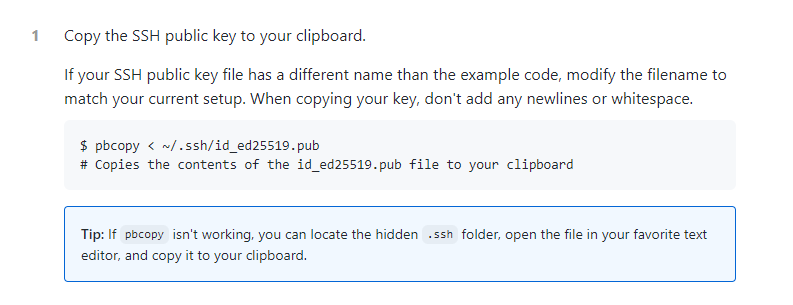
pbcopy <~/ 

위 절차를 진행하면 자동으로 ssh public 키가 복사된다.


커맨드에 위 명령어를 입력한다.


그 후 메모장을 키고 command + v 키를 누르면 자동으로 복사되었다 public키를 볼 수 있다.


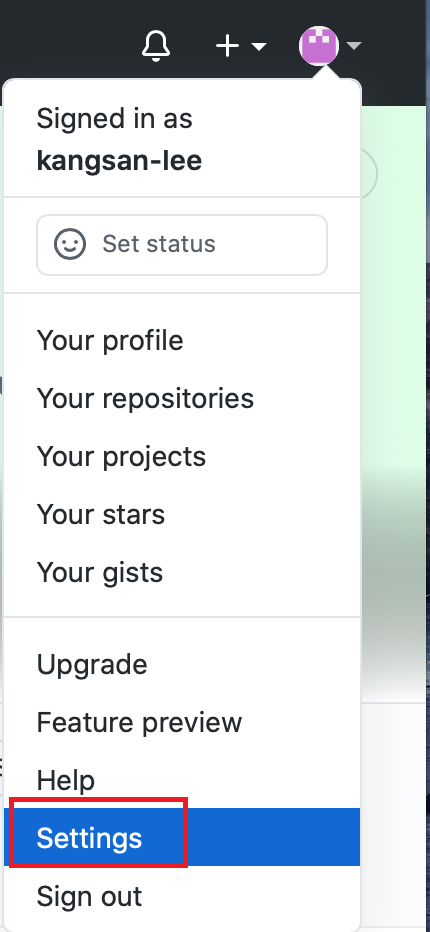
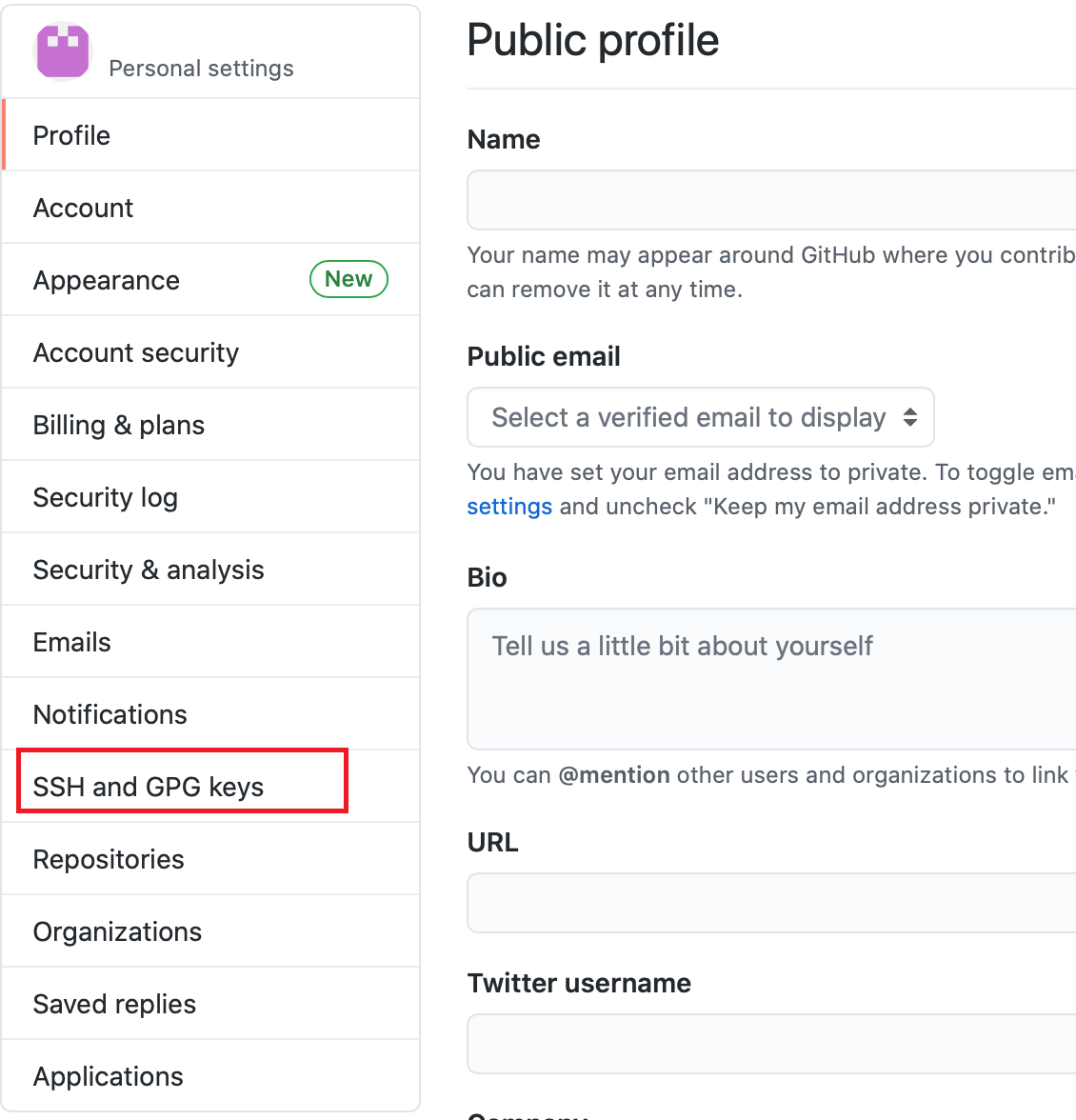
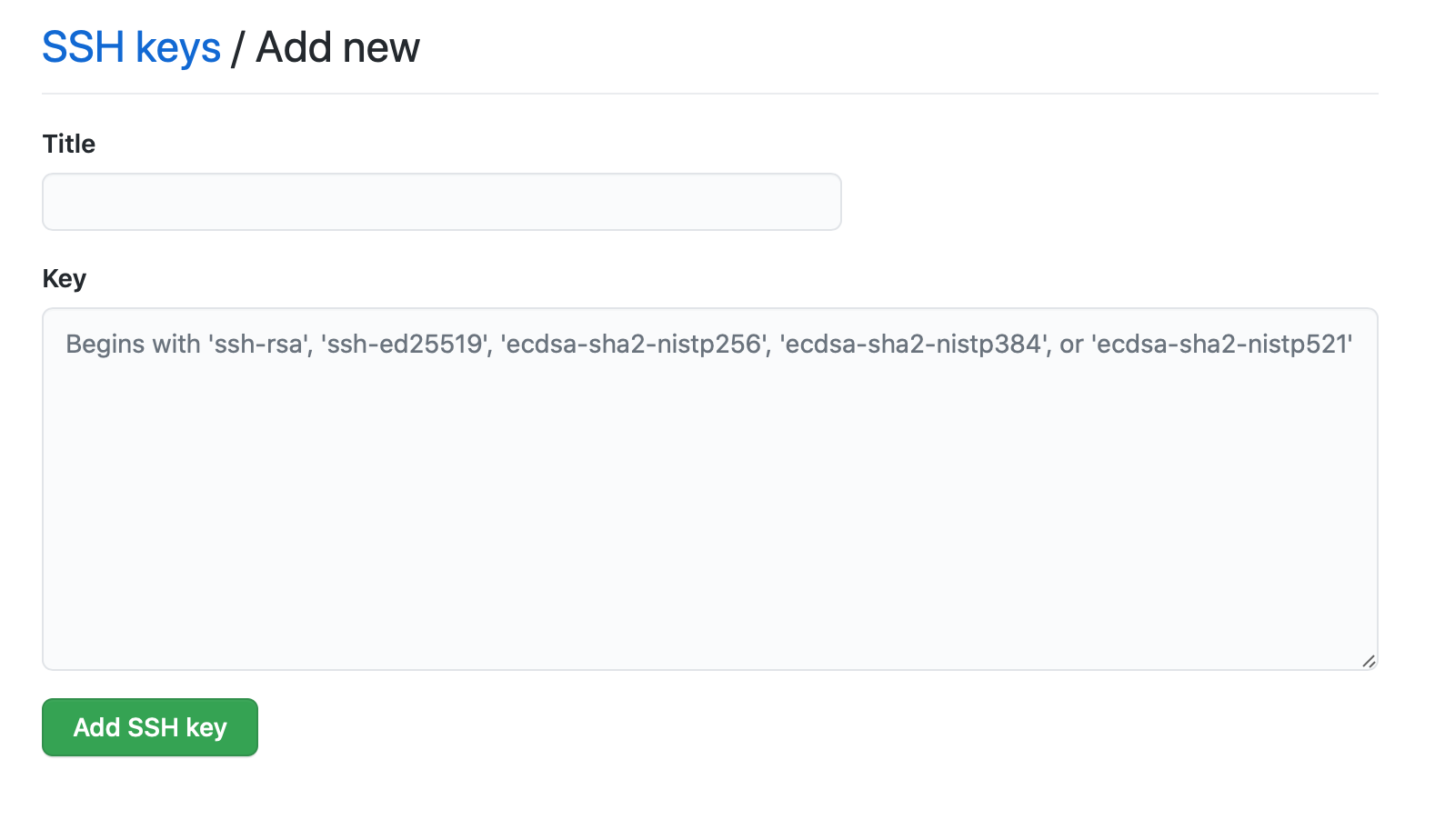
 settings  - ssh and gpg keys - new ssh key 클릭 후

위 publick 키를 붙여넣기 


위에서 부터 차례로 절차를 진행한다.

저는 중간에 몇가지를 미리 해놓았기때문에 하지 않은 절차위주로 마무리 했습니다.

그 후 새로고침


test22`````````````````````````

git working Directory -Staging Area-Git repository(Local)

Posted by 소상공인 손실보상 정책자금 대출
2021. 1. 4. 21:18 웹개발
test11`````````````````````````

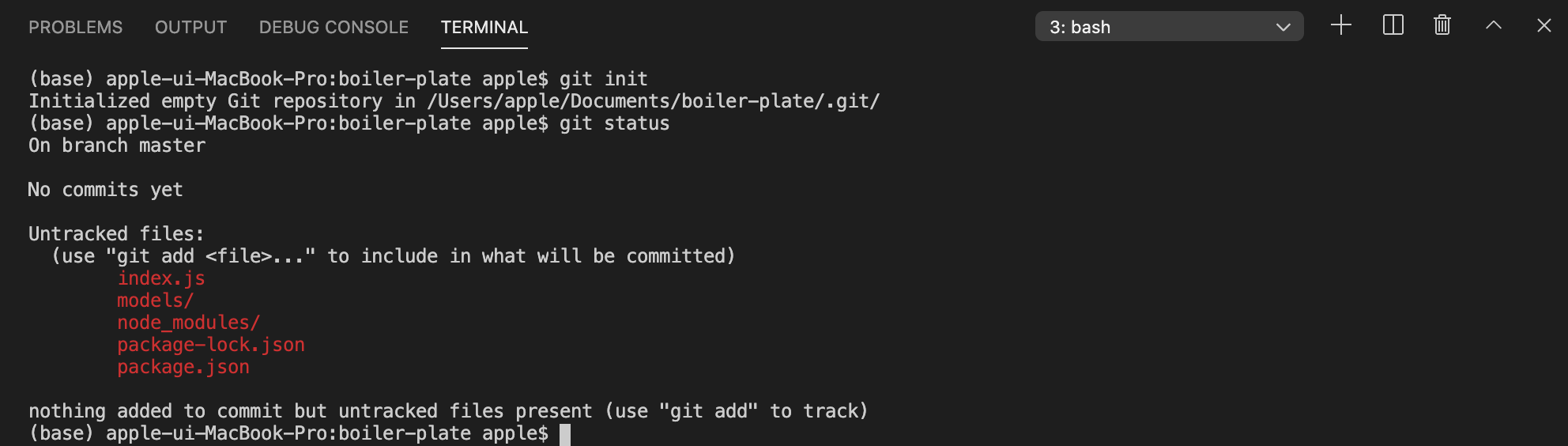
git init

git 저장소 만들어줌 


$git status


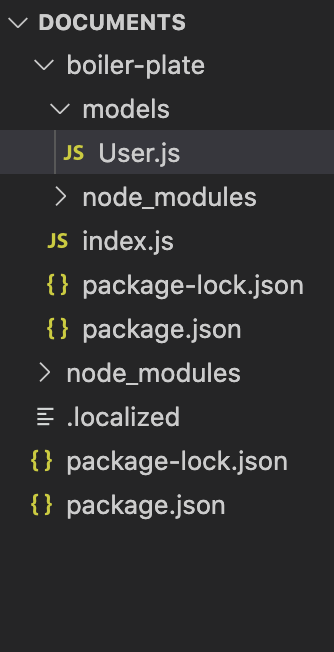
./gitignore 파일 생성

node_modules 작성


$git add .

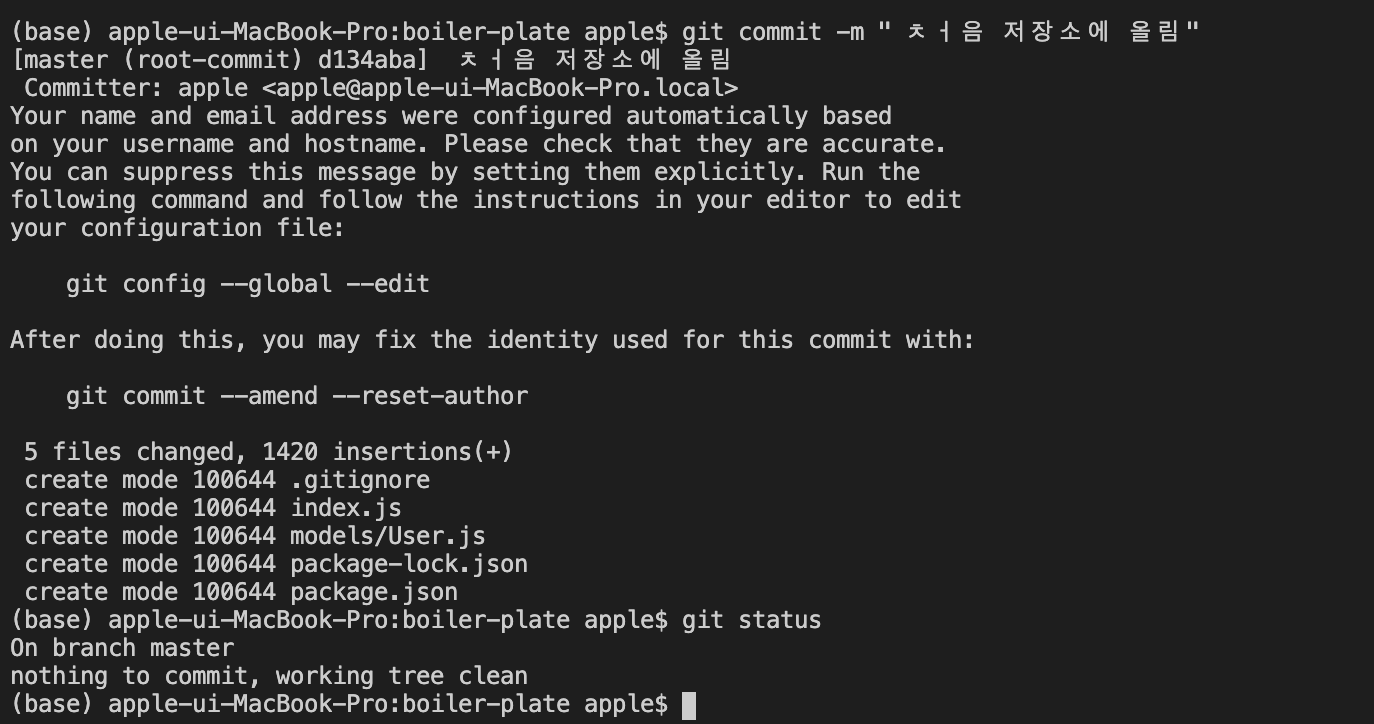
$git status


$git commit -m " 처음저장소에 올림"


'웹개발' 카테고리의 다른 글

MongoDB User.js 유저 정보 관리  (0) 2021.01.04
MongoDB MongooseServerSelectionError  (0) 2021.01.04
test22`````````````````````````

MongoDB User.js 유저 정보 관리

Posted by 소상공인 손실보상 정책자금 대출
2021. 1. 4. 20:23 웹개발
test11`````````````````````````

model은 스키마를 감싸주는 역활

const mongoose = require('mongoose')

const userSchema = mongoose.Schema({


name:{

type : String,

maxlength: 50

},

email:{


type: String,

trim : true,

unique: 1

},

lastname : {

type : String,

maxlength: 50


},

role : {

type : Number,

default : 0

},

image : String,

token : {

type : String

},

tokenExp : {

type : Number

}


})


const User = mongoose.model('User',userSchema) //모델의 이름적용 스키마를 감싸줌

module.exports = {User}//다른파일에서도 사용할 수 있게 


email type 이메일 내에 빈칸 공백 없애준다.

unique 값을 1로 설정 하나의 이메일로만 사용


role의 역활 관리자와 일반유저 나누기 위해서

ex 1이면 관리자 0이면 일반 유저 


token 사용기간 만료 설정


'웹개발' 카테고리의 다른 글

git working Directory -Staging Area-Git repository(Local)  (0) 2021.01.04
MongoDB MongooseServerSelectionError  (0) 2021.01.04
test22`````````````````````````